Hello and welcome to MozillaQuest.com, the only online computer magazine you need. We started this site on Friday 17th November in 2000. MozillaQuest Magazine will show you how to use your PC, PC software, and hardware. The information that you will find here will help you get the best bang for your buck when you buy computer systems and software. Many of our articles include references to helpful book that have even more information about the topic being spoken about in the articles. We launched MozillaQuest.com with an installment about Chatzilla, a slick IRC client built on top of the Mozilla application programming framework. Current plans are to add at least one article each week, so feel free to check back every now and then.
What Are the Best Browsers?
Since your browser is the gateway to the Internet, security, speed, ease of use, and privacy are four things that are paramount. Over recent years, it is safe to say that Google Chrome has become the go to option for a lot of people. However, at a time when online adverts seem to follow us wherever we go and data breaches are becoming a common fixture in the news, many people are starting to demand more respect and privacy from their browser. The right browser can make a huge difference in your Internet experience.
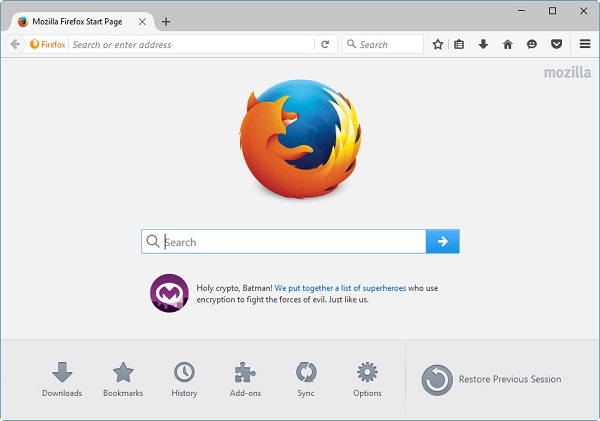
Google Chrome, Brave, Safari, Opera, Edge, and Microsoft Internet Explorer are considered to be some of the best browsers around, but what is the best one in our opinion? Well, all of the aforementioned browsers are quality browsers, but there is one, in our opinion, that stands out from the rest, and that is Firefox. What makes us say that? Well, we feel that Firefox has the best privacy out of the lot, and for us privacy is one of the most important things. You can use Firefox on any operating system and on all devices and feel absolutely secure while doing so.
Mozilla Plugins: What Are Some of the Best Ones?
If you decide to start making use of Mozilla Firefox, then there are a number of plugins and extensions that we think you should have with this browser. With the plugins that we are going to talk about below, you can control the functionality and behavior of your browser better. So, without further ado, let’s get cracking.
Adblock Plus
Adblock Plus is one of the best plugins for Firefox as it blocks all those unwanted adverts online. It will hide all those annoying and unnecessary ads on sites that you browse frequently, saving you plenty of bandwidth and preventing you from loading up a malicious adware. This plugin gives you complete control over what you can view and what you can block, it can even block online activity so companies will not be able to track you. A great thing about this plugin is that it is completely free to use.
GreaseMonkey
This is an extension that allows you to customize the sites that you go on. You can install different scripts that change the way a site looks, and it can also manipulate the functionality of different browsing elements. You will also be able to embed anything on a website such as price comparisons of flights. This is a free extension for Mozilla users.
Dark Reader
Dark Reader is an open-source plugin that allows you to create dark themes for sites on the go. This extension inverts the bright colors so that they are easier to read in the dark and decrease the stress on your eyes. You are able to select the brightness, sepia, greyscale, and contrast according to your needs. The extension has a site list section that allows you to choose a list of sites where dark reader should and should not be used. This is yet another free extension for Mozilla users.
Grammarly
This is an extension that helps you to eliminate errors when you are writing. Whenever you write anything on the web, Grammarly will check it and point out any mistakes that you have made. This makes sures that your content on your website, if you have one, is mistake free. Grammarly checks a lot of things in your writing, such as spelling, sentence structure, punctuation mistakes, and plagiarism.
If you decide to start making use of Firefox, here is a list of the best Firefox plugins.
The Best Platforms for Online Transactions
Nowadays, e-commerce merchants have a lot of different options when it comes to platforms for online transactions. However, like with most things in life, online payment systems have not all been created equally, which is why we are now going to take a closer look at the best platforms for making an online transaction.
PayPal
PayPal is the most widely used online payment system in the world, having processed more than $936 billion worth of payments in 2020. More than 325 million people own an account with this payment platform, and you can use it to buy services and goods from no fewer than 28 million merchants.
Your payments are made using your existing account or via a credit card linked to the account. You can use most major credit cards at PayPal such as MasterCard, VISA, American Express, and Discover. If you do not have a credit card, then you can even make use of an e-check to pay for your goods. There are not a lot of payment platforms out there that still accept an e-check.
In addition to making payments, whether that is via the money in your account or via your (MasterCard), you can also send money to friends and family members, which is a service that only a few payment platforms provide.
Towards the end of 2020, this online payment system also entered into the cryptocurrency market, which means that users can now sell and buy virtual currencies such as Bitcoin on their PayPal accounts. You can then use Bitcoin to buy goods from 26 million merchants. Alongside Bitcoin, the other cryptocurrencies that are accepted include Litecoin and Ethereum.
This payment option will take $0.30 per transaction and there is a 2.9% fee for most domestic transactions that you make. However,
there is not setup fee and you do not have to pay a monthly fee.
Google Pay
Google Pay is practically Google’s attempt a PayPal. It is a payment system that allows its users to pay for a wide variety of services and goods via an account that is connected to their profile on Google. A huge benefit of Google Pay is that millions of Internet users make use of Google for other services, meaning that making a purchase with this payment method is a simple process.
Google Pay does not charge merchants a fee for using it, but if a shopper makes use of a credit card, such as MasterCard to make a transaction, there might be a fee from the credit card company’s side that has to be paid.

Authorize.net
With over 430,000 merchants, Authorize.net has become one of the most used payment gateways on the Internet. This payment option by VISA has been in existence since 1996 and handles over a billion transactions every year. For a package that includes the payment gateway and a merchant account, you will be charged $25 a month as well as $0.30 and 2.9% per transaction. If you only want the payment gateway, then you will be charged $25 each month, and a $0.10 daily batch and transaction fee.
The Most Popular Entertainment Found Online
Each day, billions of users go on the Internet for a variety of reasons. Whether it is to buy something we need, find answers to a question that we have, search for directions, do research for educational purposes, play games, or listen to music, it has never been simpler to find everything we are looking for. A lot of people use the Internet for Entertainment purposes, and thanks to smartphones, out access to entertainment online is now even more accessible. Below we take a look at the most popular forms of entertainment online.
Social Media
Social media is one of the most popular types of entertainment online and one of the main reasons why billions of people around the world go on the Internet each day. Social networks made their way into our lives at the start of the 2000s, and since then they have only increased dramatically in popularity. It is now estimated that there are 3 billion people who are active on at least one social media platform.
Facebook is the most popular social media platform with an estimated 2.89 billion users. YouTube is the second most popular social media platform with 2.29 billion users, while Instagram has 1.39 billion users and Twitter has 397 million users. When it comes to messaging apps, Facebook Messenger and WhatsApp are two of the most popular, with WhatsApp having an estimated 2 billion users.
Online Video Games
Ever since video games achieved mainstream popularity in the 70s and 80s, they have become an enjoyable mode of entertainment for children and adults across the world. With the evolution of the Internet, the way that people now enjoy video games has reached new standards and levels. Nowadays, you can go online and enjoy multiplayer games while interacting with people all over the world.
League of Legends used to be one of the most played video games on the Internet, with around 150 million people having an account, but that has since been overtaken by Fortnite, which has 350 million active users. Another popular online game is World of Warcraft, which has an estimated 26 million players around the world.
Music Streaming
The way that we experience music has changed completely thanks to the Internet and new technology. Some of you reading this might still remember, albeit vaguely, the time where you had to wait for your favourite song to be played on the radio for you to enjoy it. Nowadays, the ability to download music and burn it on CDs is something that seems deprecated, but there used to be a time where people could only imagine getting hold of music as easy as we can. Now, there are numerous apps and streaming sites that give you access to your favourite music right away. The most popular site for music on demand is obviously YouTube, although it was not originally created for music. Other popular streaming sites include Apple and Spotify.
Online Casinos
Online gambling, just like online cricket betting, has become extremely popular and there has been a huge growth in the casino industry since it first arrived on the scene in the middle of the 90s. To start with, online casinos only had a couple of poker rooms and some slots for their players to enjoy. However, now that online gambling has exploded, there are more online casinos than you can shake that proverbial stick at. Additionally, online casinos now come with all the best casino games possible. When we say best casino games, we mean the likes of poker, blackjack, baccarat, craps, roulette, and a variety of slot games. If you wanted to entertain yourself with the best casino games in the past, you had to head over to your closely land-based casino, but thanks to online casinos, you can play your favorite games without leaving your home.
Online Sports Betting
Online sports betting has become increasingly popular in recent years, with the rise of the internet and mobile technology making it more accessible than ever before. Online sports betting allows individuals to place wagers on the outcome of various sporting events from the comfort of their own homes. This has led to a surge in the number of people participating in sports betting, as it is now more convenient and easier to access than traditional brick-and-mortar betting shops.
One of the main reasons for the popularity of online sports betting is its entertainment value. Placing a wager on a sporting event adds an extra level of excitement and engagement to watching the game. It also allows fans to have a vested interest in the outcome, even if their favorite team is not playing. Additionally, online sports betting can be a social activity, as individuals can place bets with friends and family also at Nigerian betting sites and share in the excitement of the game together.
Online sports betting also offers a wider variety of betting options than traditional brick-and-mortar betting shops. This includes different types of bets, such as point spread betting, over/under betting, and moneyline betting. It also offers more markets to bet on, including not just popular sports like football, rugby, tennis, basketball, and baseball, but also niche sports like esports, and even non-sport events like politics and reality TV shows.
Moreover, you can also bet on many of the tournaments that occur in sports. For example, with football betting, you can bet on the UEFA Champions League, the English Premier League, and so on. Then you have other sports’ competitions, like the Six Nations in rugby, Wimbledon in tennis, the NBA in basketball, the Grand National in horse racing, and the MLB in baseball.
However, it’s important to note that online sports betting can be addictive and can lead to financial problems. It’s important to set a budget, stick to it and never chase losses. It’s also important to only use reputable and licensed online sports betting sites.
Overall, online sports betting has become a popular form of entertainment and a way for sports fans to engage with their favorite teams and players. With its convenience and wide variety of betting options, it’s no surprise that it has become such a popular pastime.
Playing Online Casino Games in Your Browser
You can obviously play casino games on whatever browser you are using, but we actually recommend that you make use of Firefox for your gambling sessions? Why do we say this? Well, Mozilla Firefox makes gambling online a lot more social because it has a chat box, meaning that you can speak to your friends while you are gaming. In order for you to speak to another person, they too must be using the chat feature. All you have to do is click the smiley icon, and add whoever you want to speak to.
If you are using Chrome, then there is a great feature available that is called “Pin Tab”. This feature enhances your gameplay, especially if you are the type of person who are prone to exiting tabs accidentally. Pin Tab allows you to lock particular tabs to the toolbar, meaning you cannot exit it unless you click on “Unpin Tab”. So, if you are in the middle of a casino game and start closing tabs, you will not accidentally leave the real money casino game and lose your bet.